
• Home
  • Help Document

Help Document

Official Help Document V2.1 — Login, Register (mobile / email), Google Sign-In, and Forgot password, with screenshots.

Login

Google Sign-In

Sign in quickly with your Google account — no separate password required.
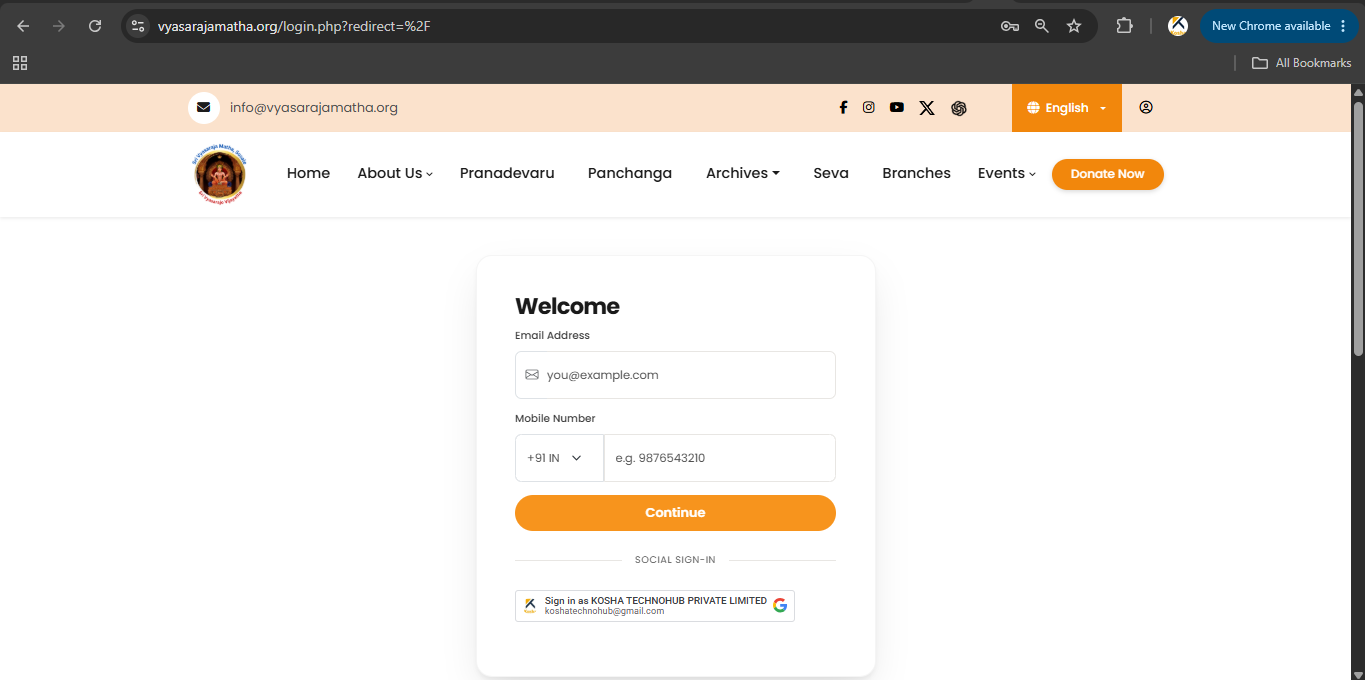
Google Sign-In

Google Sign-In

You may also sign in using your Google account.

  1. Open the Login page.
  2. Under Social Sign-In, click Sign in with Google (or choose your Google account).
  3. If this is your first visit, your account is created automatically.
  4. Later visits only need Google authentication.
Google Sign-In option on the Welcome screen
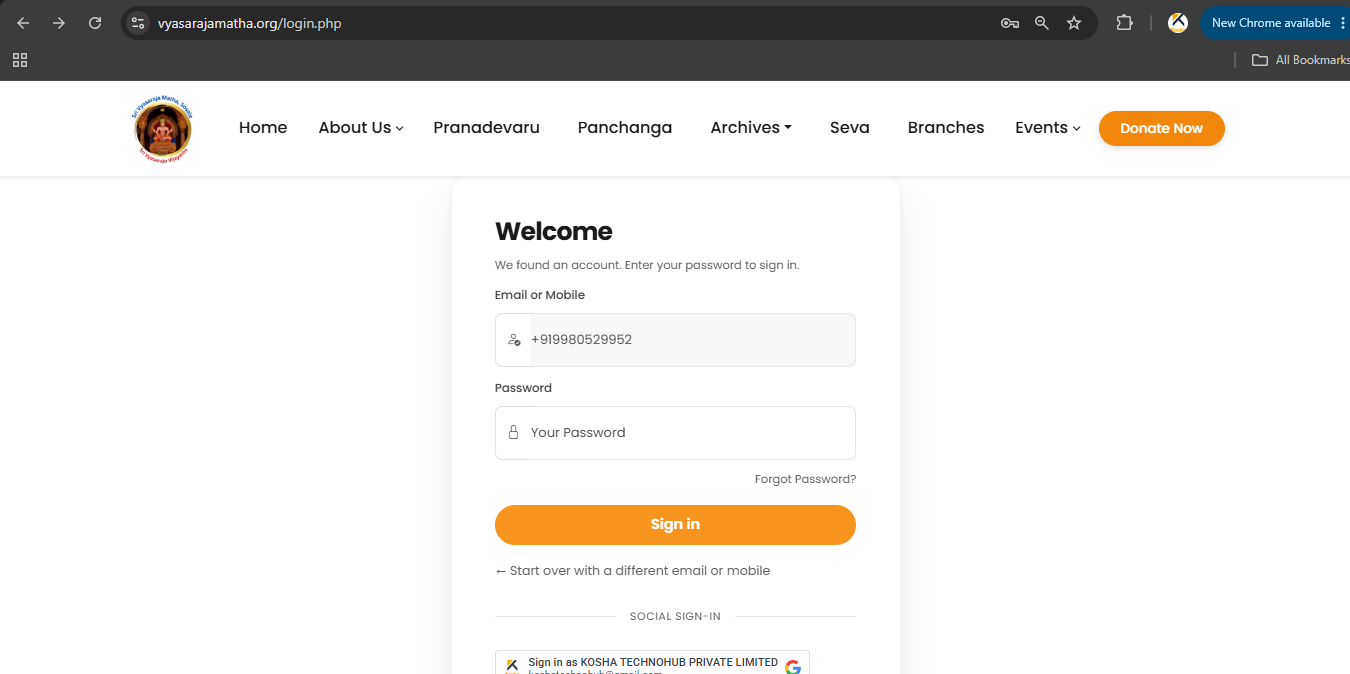
Google Sign-In option on the password screen

Video tutorial: Sri Vyasaraja Matha YouTube

Screenshots

Google Sign-In on Welcome screen
Google Sign-In also appears on password screen